
Error "This code is no longer valid" on iPhone
OVOSIM Support Team · Updated May 2026
After activating your eSIM via QR code or manual activation code, you may see the following error on your iPhone:
Data Plan Cannot be Added
"This code is no longer valid. Contact your carrier for more information."
Solution
Step 1 — Check your internet connection
Make sure your iPhone has a working Wi-Fi or cellular internet connection before activating the eSIM. An active internet connection is required to verify and activate the eSIM profile.
Step 2 — Check if the eSIM is already installed
Despite the error message, the eSIM has usually already been installed in the background after scanning the QR code. Check your settings before taking any other action:
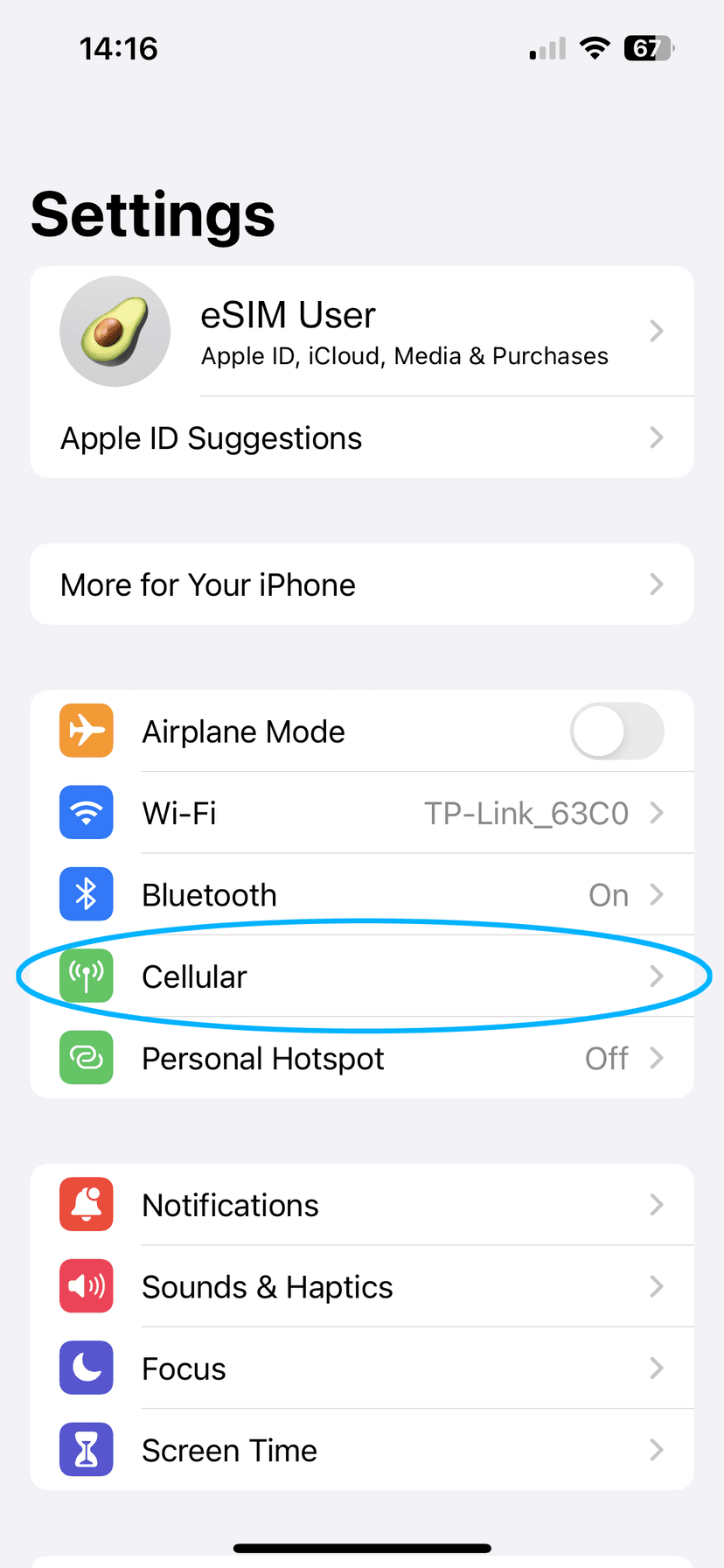
- Go to Settings → Cellular
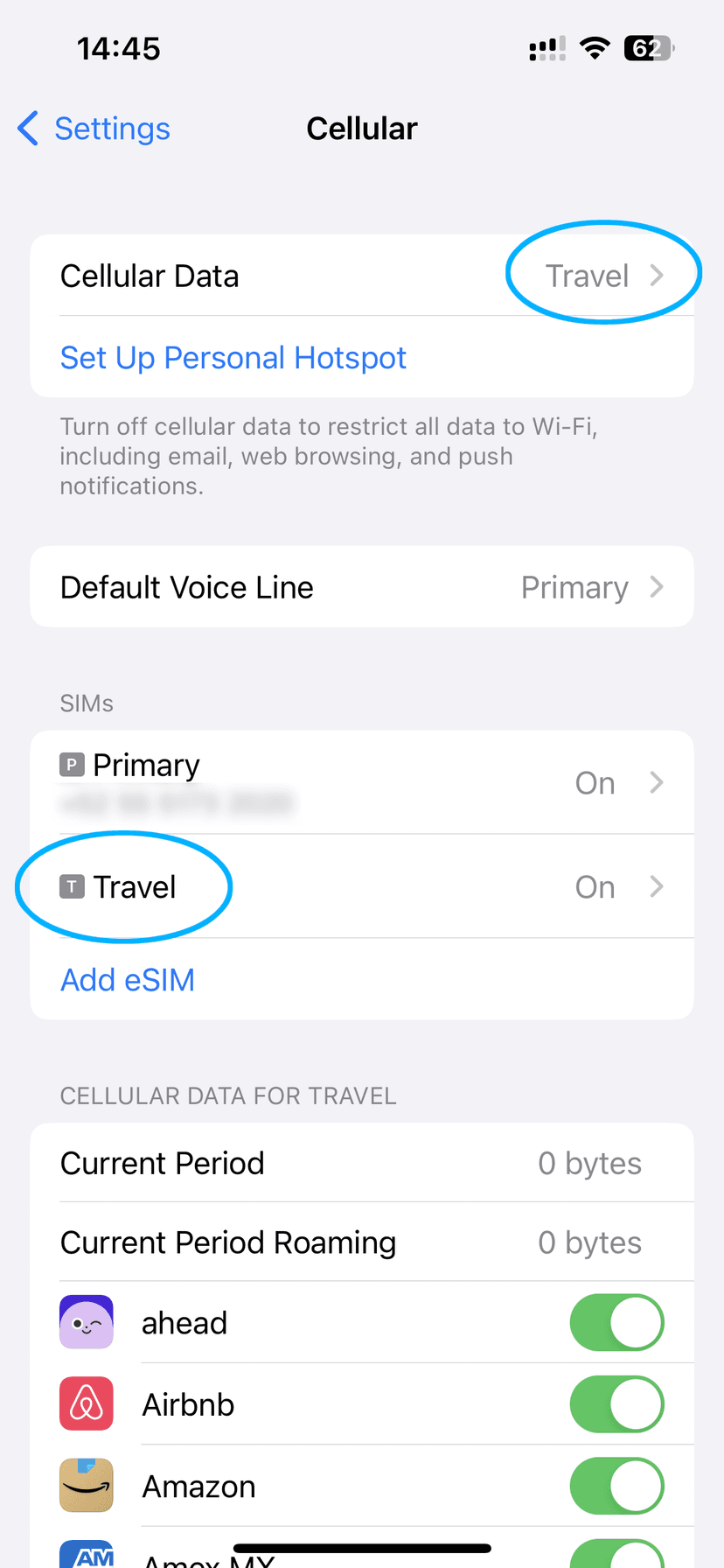
- Tap Cellular Data at the top and check if your OVOSIM eSIM plan appears. If it does, select it as your data plan.
- Go back to Cellular and scroll down to find your OVOSIM plan — it may be labelled "Personal", "Travel", or "Secondary"
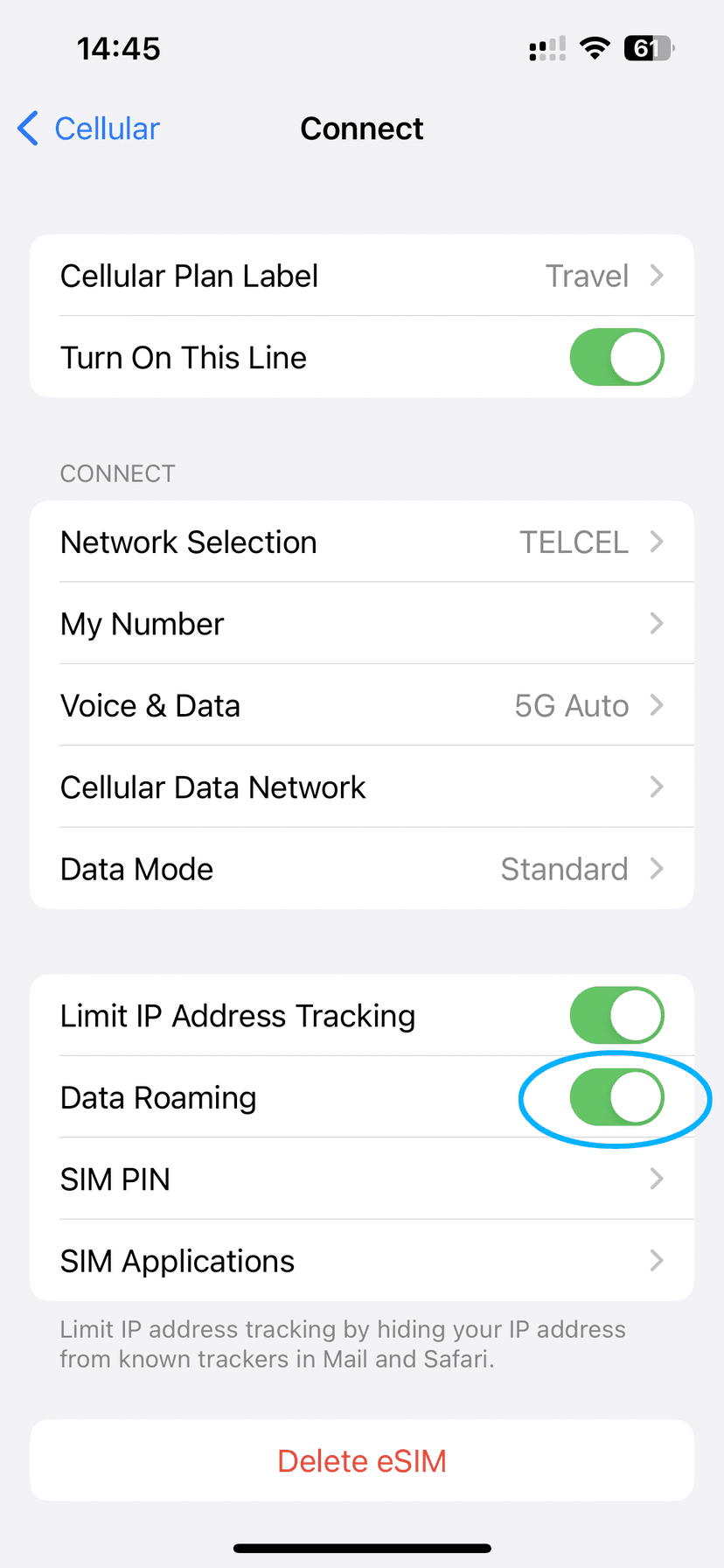
- Tap the plan and confirm Turn On This Line is ON
- Confirm Data Roaming is ON
eSIM found in Settings?
If you can see the OVOSIM plan in your Cellular settings and the settings above are correct, your eSIM is ready. It will connect automatically when you arrive in your destination country. No further action is required.
eSIM not showing in Settings?
If you followed the steps above and the eSIM is not installed on your phone, contact our support team and we will sort it out for you.
Contact Support